

Booking a VIP 1-2-1 Session
VIP members get 1-on-1 coaching sessions with an expert trainer, booked directly from the Academy.
1. Go to VIP Sessions
Open VIP Sessions in the sidebar. Each enrolled course shows how many sessions you have left (VIP includes a set allowance per enrollment). Click Book a Session.
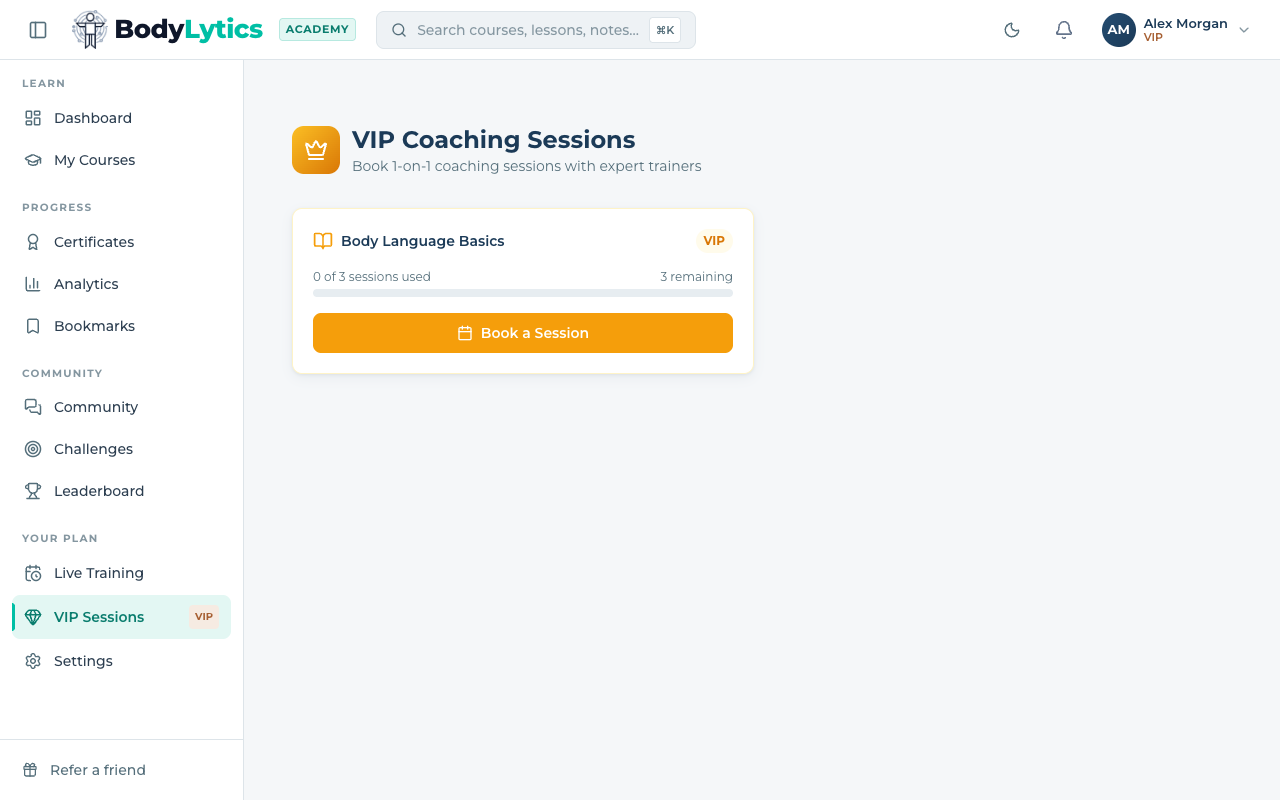
If you've used all your sessions for this enrollment, the button will show All Sessions Used instead.
2. Choose a time slot
A booking window opens. Use the arrows to browse available weeks, then pick any open time. Times are shown in your local timezone.
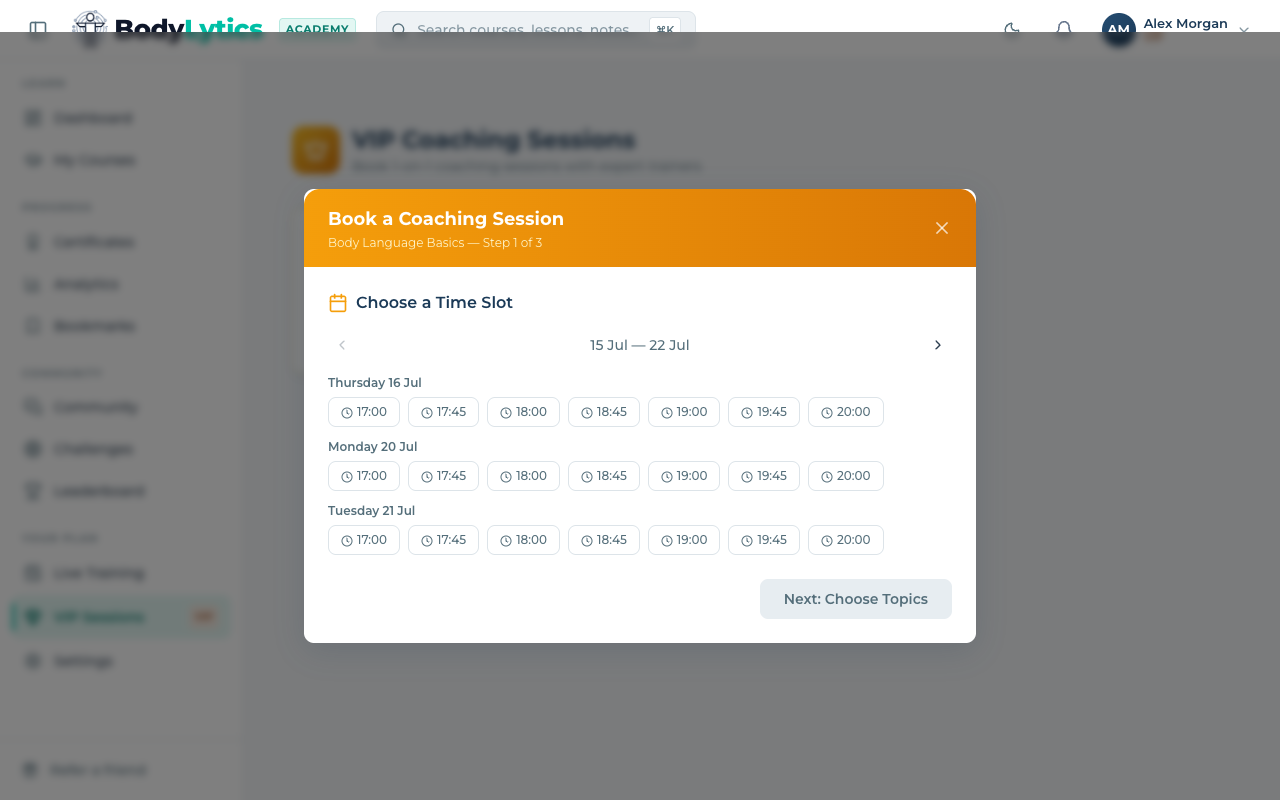
Click Next: Choose Topics once you've picked a slot.
3. Tell us what you'd like to cover
Select up to 3 topics you'd like to focus on, and add any notes for your trainer — specific questions, situations, or areas you want feedback on.
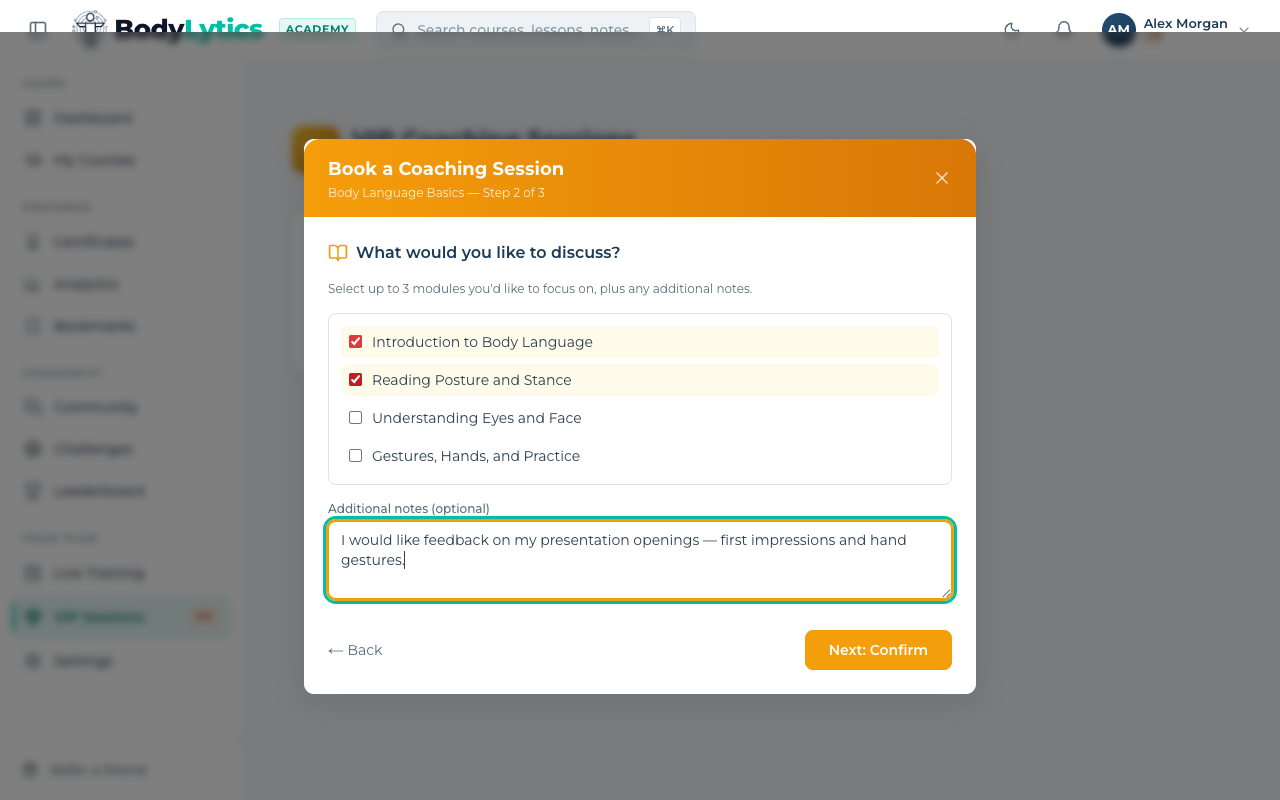
4. Confirm your booking
Review the date, time, topics, and notes, then click Confirm Booking.
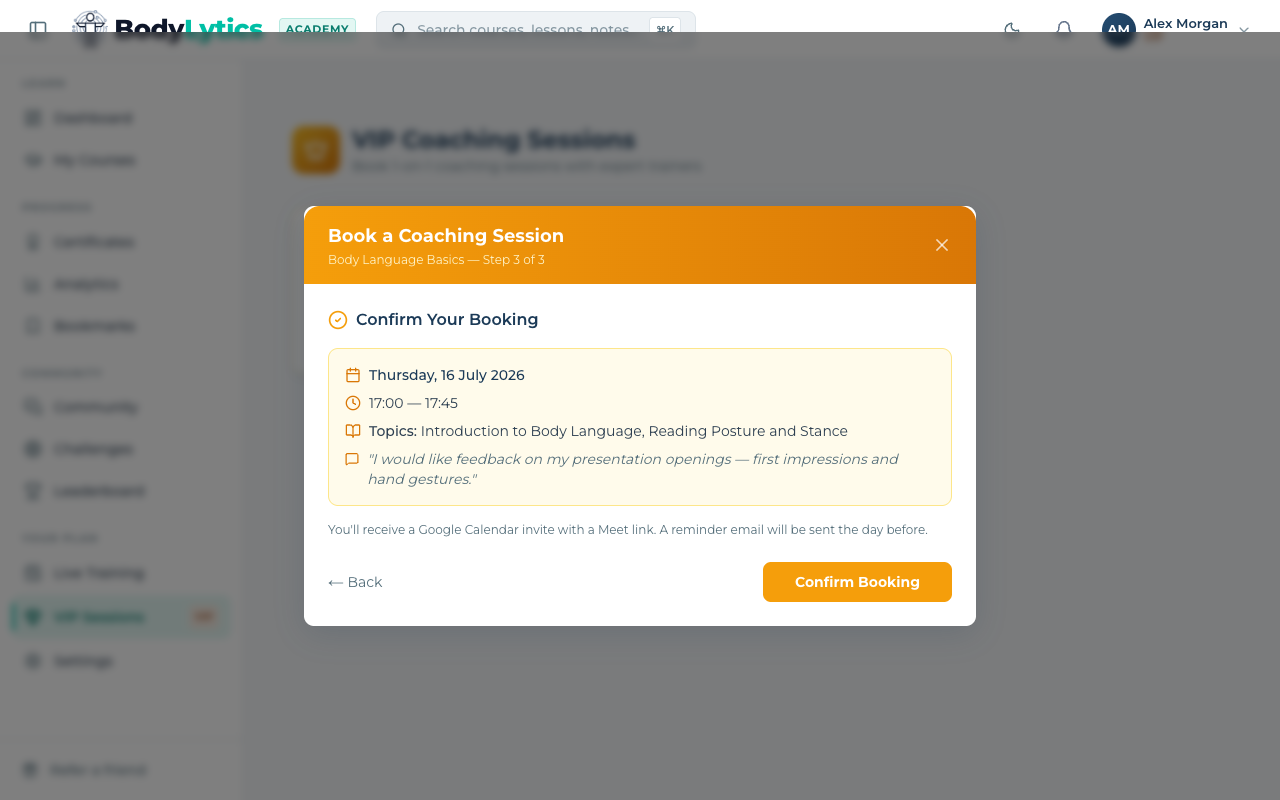
You'll get a Google Calendar invite with a Meet link by email, plus a reminder the day before.
Joining, rescheduling, and cancelling
Want to go deeper?
Sign up free to access our full library of guides, practice exercises, and interactive courses on body language.